
Clients unlock it on their report
A client whose inspection doesn’t have the repair estimate can buy it themselves, right on their report. They pay your company’s price by card, and the estimate is built for them.
What the client does
Section titled “What the client does”-
On their report, the client taps Unlock repair estimate. It sits at the bottom right of the report.
-
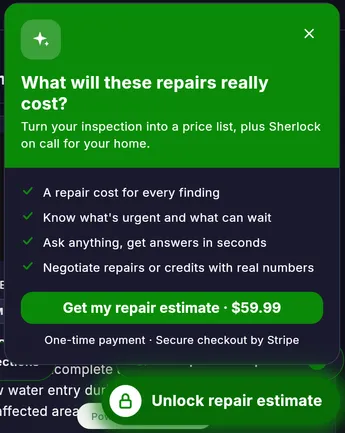
A card shows what they get and the price:
-
They tap Get my repair estimate and pay by card on a secure Stripe checkout page.
-
Back on their report, they see You’re in! Their repair estimate is built in a few minutes, and they can ask sherlock anything in the meantime.
Good to know
Section titled “Good to know”- The price is your company’s repair estimate price. The example above shows $59.99.
- Clients pay by card only.
- If the inspection isn’t complete yet, the estimate is built when the inspector completes the report.
- Each purchase is recorded against your company.
- If your company turned on the Repair estimate ready email, the client also gets an email when it’s ready.